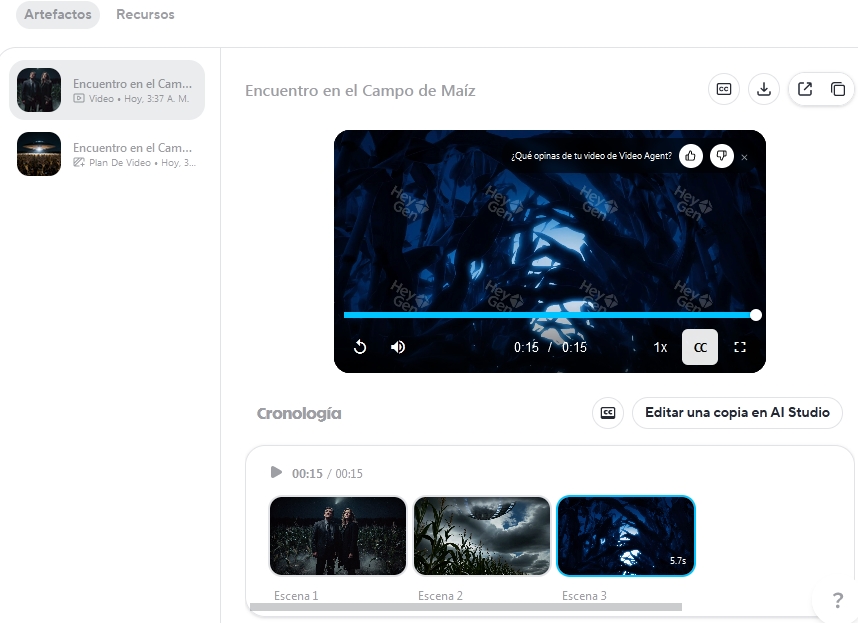
The website is called HeyGen, more specifically this link https://app.heygen.com/video-agent, you must log in with a Gmail account (the fastest way to register), then we will search Google for the reference image of the video that we will want to create, on the website of this AI, going to the corresponding link, we will focus on the chat, click on + to upload an image, we choose ''active'' a floating menu will open To load the image then we will put a brief prompt (story) of what we want to edit the video, we wait a few seconds and that's it it generates a video, when it shows you press play to see if you like it, but it won't let you download it, to be able to download it anyway... you will have to have a Mozilla Firefox browser, in Windows, assuming that you have already used AI with Mozilla, above the video open an option to copy link to share video , copy the link, go to that link, with the right mouse button on some empty area of the page we will click on ''inspect'' then we go to the ''network'' menu then we will click on Play to start the video, then among the links that you will see within the inspection tool open one with the label ''Media'', pay attention to selecting that mp4 link, before other links continue loading we will click on that link with the right mouse button and choose ''open in a new window'' in my case instead of loading in a new window I downloaded the video directly to my PC, in your case it will surely do the same
The bad news is that the 'good streak' of free in this service does not last long, a single video for each account, but if you have 3 or 4 Gmail accounts you could log out and log in with another account and make another video, if you have 4 Gmail accounts we can create 4 videos for free. ........In case you have a hard time finding the mp4 link, you can try downloading this add-on for Mozilla, video downloader veevee, from this link https://addons.mozilla.org/es-ES/firefox/addon/video-downloader-veevee/ once installed, load again the link you copied to share the video, and at the top in the EXTENSIONS menu open it and this add-on will appear telling you that it detected a video in the page, click it to download it and that's it